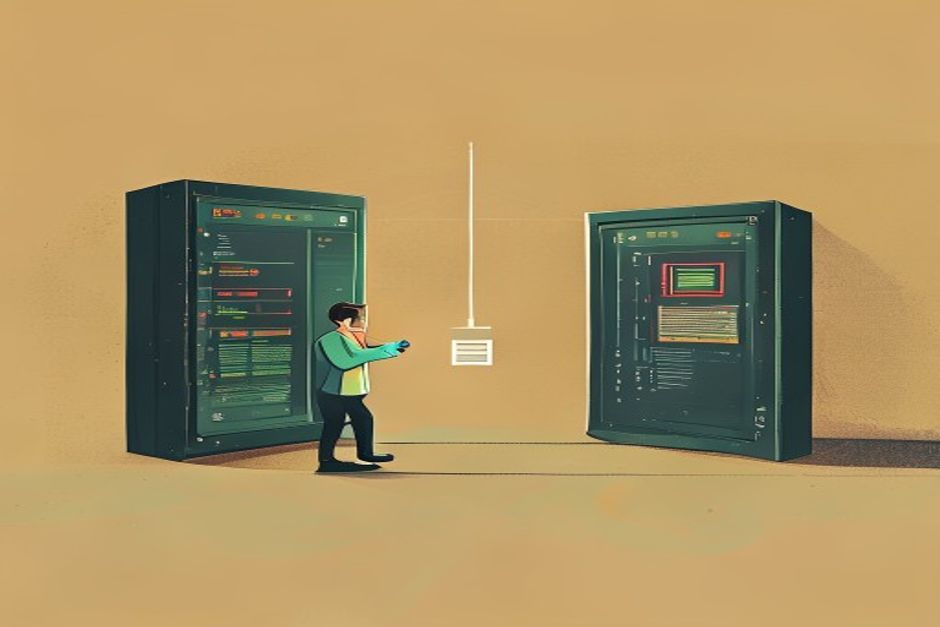
The 2026-07-28 MCP release is remembered for going stateless — but the same release ships something that changes what your server can show, not just what it can do. MCP Apps (SEP-1865) is the official extension that lets a server hand the host a real, interactive HTML interface: a chart the user can hover, a form they can fill, a picker they can click — rendered in place instead of paraphrased by the model as text.
Skimmable version, up front: you predeclare a UI as a ui:// resource, link a tool to it with _meta.ui.resourceUri, and the UI talks back to the host over JSON-RPC from inside a sandboxed iframe. Three parts. Here's each one with code.
Why this matters for a team of one#
Without MCP Apps, every result your tool produces is text the model has to describe. Ask your booking tool for availability and the model prints a paragraph; ask your analytics tool for a breakdown and it recites numbers. MCP Apps is the same leap chat interfaces made when they stopped printing JSON and started rendering components — except now any MCP server can do it, in any compliant host. For a founder, that's the difference between an agent that tells users about a result and one that shows them a usable interface.
And it's additive. Your existing tools keep returning text; you opt a single tool into a UI without touching the rest. That matters this week specifically, because everyone is already mid-migration to the stateless core — MCP Apps doesn't add to that work, it rides alongside it.
Part 1 — Declare the UI as a ui:// resource#
UIs aren't streamed ad hoc; they're predeclared resources under the new ui:// URI scheme. Predeclaration is what lets a host fetch, cache, and security-review the interface before anything runs.
// Register a UI resource the host can prefetch and review.
server.registerResource({
  uri: "ui://charts/interactive",
  name: "Interactive revenue chart",
  mimeType: "text/html",
  // The HTML that will render inside the host's sandboxed iframe.
  text: INTERACTIVE_CHART_HTML,
});
The host now knows this UI exists, can cache it, and can audit its contents ahead of time. Nothing about it executes until a tool actually points at it.
Part 2 — Link a tool to its UI with _meta.ui.resourceUri#
A tool advertises its interface through a _meta.ui.resourceUri field. When the tool runs, the host reads that field and renders the matching predeclared resource with the tool's result.
server.registerTool({
  name: "get_revenue",
  description: "Return monthly revenue for a date range.",
  inputSchema: { /* ... */ },
  _meta: {
    ui: {
      // Point at the predeclared ui:// resource from Part 1.
      resourceUri: "ui://charts/interactive",
    },
  },
}, async (args) => {
  const rows = await queryRevenue(args);
  // The host renders ui://charts/interactive and hands it this result.
  return { content: [{ type: "json", json: rows }] };
});
Tools without a _meta.ui.resourceUri behave exactly as they always have — text in, text out. That backward-compatibility is deliberate.
Part 3 — Let the UI talk back#
The interface isn't a static screenshot. Inside its sandboxed iframe it communicates with the host over JSON-RPC via postMessage, using the @modelcontextprotocol/ext-apps SDK. The SDK gives your page an App object with three moves that matter:
import { App } from "@modelcontextprotocol/ext-apps";

const app = new App();

// A click in the UI becomes a real server tool call — not a guess.
document.querySelector("#refresh").addEventListener("click", async () => {
  const result = await app.callServerTool("get_revenue", { range: "90d" });
  renderChart(result);
});

// Receive tool results pushed into the UI.
app.ontoolresult = (result) => renderChart(result);

// Tell the model what the user actually did, so its context stays honest.
function onUserPickedMonth(month) {
  app.updateModelContext({ selectedMonth: month });
}
The important idea in that last call: when a user interacts with your UI, the model doesn't get to hallucinate what happened — app.updateModelContext() reports the real action back into context, so the conversation and the interface never drift apart.
The security model — why hosts will actually allow this#
Letting a remote server render UI in your client sounds alarming; the spec is built around that fear:
- Mandatory sandboxed iframes with restricted permissions — the UI can't reach the host page or the network freely.
- Predeclared templates (Part 1) so a host can review and cache the exact HTML before it ever renders.
- Auditable JSON-RPC — every message from the UI to the host is a logged, inspectable call, not opaque script.
- Optional explicit user consent for UI-initiated tool calls, so a button in an app can't silently trigger a sensitive action.
That combination is what makes it safe enough for hosts to enable by default, and it's why you should keep your UIs small and single-purpose — a host reviewing your template will trust a chart faster than a kitchen sink.
Where to start before July 28#
Pick your single most-explained tool result — the one where the model always ends up reciting a table or a set of numbers — and give it a ui:// resource. That's the highest-leverage first app: it turns your worst text-dump into your best interface, and it teaches you the three-part pattern on something small.
The extension is preview-stage, so treat the SDK method names here as current-not-final and check the MCP Apps spec before you ship. For the other half of the July 28 release — the stateless core that changes how your server is deployed, not how it looks — start with MCP goes stateless: what the 2026-07-28 spec changes and the client migration walkthrough.